
COMPLETE TIVIMATE GUIDE
TiviMate is one of the most discussed IPTV players because it is built around television viewing. For many Android TV and Google TV users, it feels closer to a true TV interface than a general media dashboard. That matters when you want channel groups, guide browsing, favorites, and daily navigation to feel fast, clean, and comfortable on a big screen.
This guide is for visitors who want practical answers before installing the app. It explains what Tivi Mate does, which devices it suits best, how setup usually works, what makes the app popular, what to know about the free and premium paths, and when another player may be a better fit.
If you are deciding between this app, IPTV Smarters Pro, Sparkle TV, XCIPTV, or other IPTV apps, this page helps you make a smarter choice based on how you actually watch.
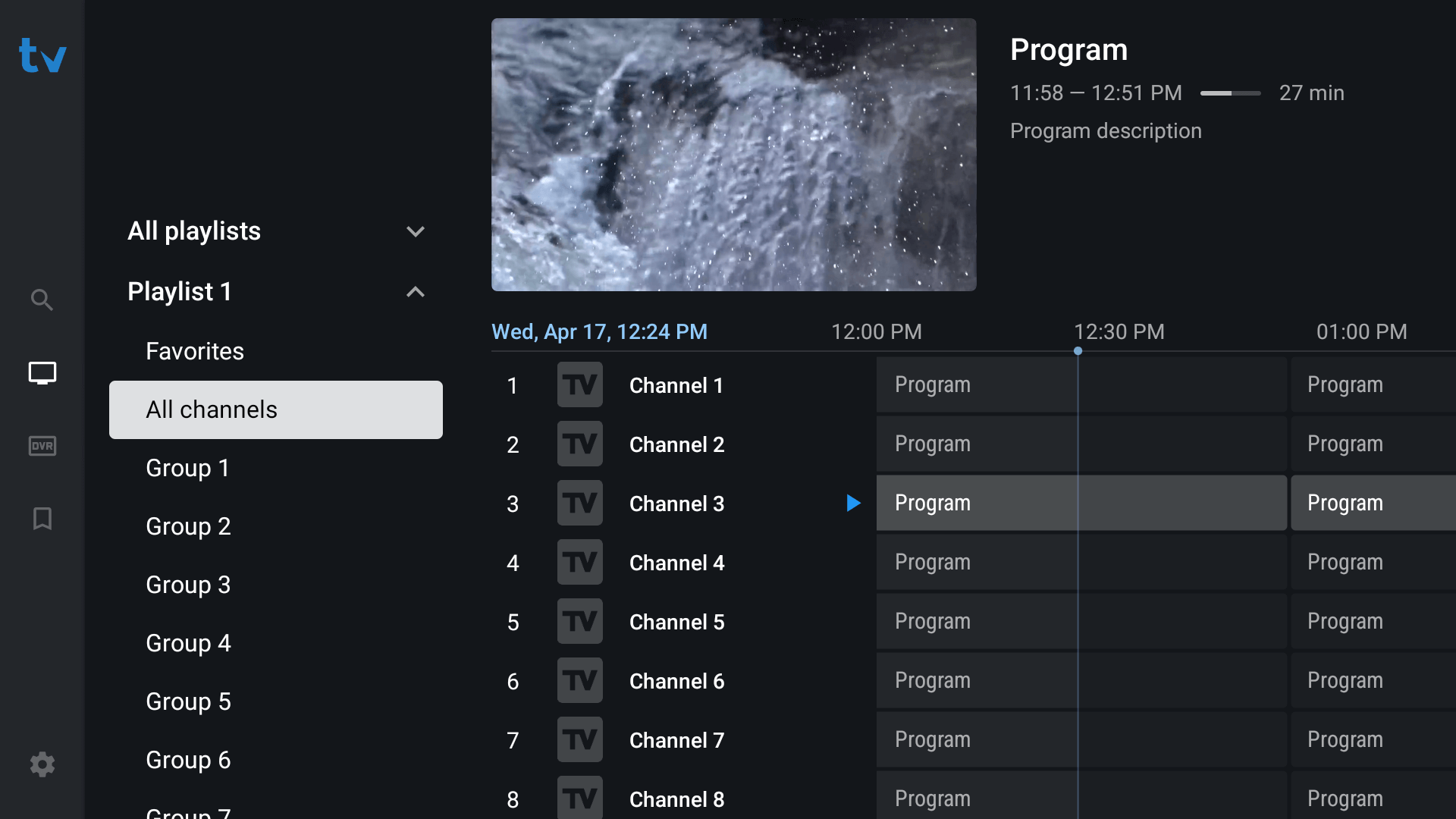
What TiviMate Does
TiviMate is an IPTV player. It gives you the interface for watching live channels and other content sources you add yourself. It does not normally provide content on its own. Instead, it lets you load playlists or account-based details supplied by your own provider and then watch through a TV-first layout that many users find easier to manage on Android TV devices.
This distinction matters because many first-time users confuse a player with a service. TiviMate is the player layer. Your own playlist, provider login, or source determines what appears inside it.
Quick Navigation
Use these sections to understand the app, check supported devices, review setup basics, and compare TiviMate with other popular IPTV players.
Why TiviMate Is So Popular
TiviMate is widely discussed because the app is strongly optimized for television-style use. The official site highlights features such as multiple playlists, catch-up, favorite channels, recording, search, parental controls, and multiview.
The other reason it remains popular is comfort. Many viewers simply prefer a player that feels like it was built for a remote control and a big screen instead of adapted from a phone-style interface.
Built for TV Viewing
TiviMate is widely preferred by users who want a player that feels designed for a remote control and a television screen.
Guide and Group Comfort
A major part of its appeal is how comfortable guide navigation, categories, and favorites can feel during everyday use.
Feature Depth
Multiple playlists, catch-up, recording, search, and parental controls are some of the features highlighted on the official site.
Which Devices Suit TiviMate Best
TiviMate is most closely associated with Android TV devices. The official site explicitly says the app is intended for Android TV devices and is not optimized for phones and tablets.
Users on Firestick also compare TiviMate frequently, especially when they want a more television-like player experience. Installation and premium activation can be slightly different depending on whether Google Play is available on the device.
Android TV and Google TV
This is the natural home for TiviMate because the app is intended for Android TV devices.
Firestick and Fire TV
TiviMate is also frequently used on Firestick-style setups when users want a stronger TV-oriented player feel.
Phones and Tablets
The official site notes that TiviMate is not optimized for phones and tablets, which is important when deciding how you want to use it.
How TiviMate Setup Usually Works
The normal setup path is simple in principle. Install the TiviMate player on the device, open it, choose the supported login or playlist method, and then load your channels and guide data. After that, most of the real value comes from organization: setting favorites, cleaning up groups, reviewing guide behavior, and making the home screen feel practical for daily viewing.
When the device does not have Google Play access for the premium path, the TiviMate Companion app becomes relevant because it is used to unlock Premium functionality and manage activated devices.
Step 1: Install the Player
Start from the official site or the correct store path for your device.
Step 2: Add Your Login or Playlist
Load the supported account details or playlist format that your provider gives you.
Step 3: Organize the Experience
Review guide behavior, groups, favorites, and general layout so the player feels right for daily use.
TiviMate Free vs Premium
One of the most common user questions is whether the free version is enough or whether premium is worth it. In practice, the answer depends on how often you use IPTV and how much you care about advanced management, deeper guide behavior, and the more feature-rich experience associated with the premium version.
If you only want a light test, the free path can help you understand the interface first. If TiviMate becomes your main daily player, premium is the point where many users feel the app reaches its full value.
Testing the Interface First
The free path is useful when you want to see whether the layout and navigation fit the way you watch.
Why Premium Matters
The premium path becomes more relevant when TiviMate is your main daily player and you want the fuller experience.
Companion App Note
The companion app is used to unlock Premium functionality on devices without Google Play. It is not the player app itself.
What People Usually Like Most About TiviMate
The features users usually care about most are practical quality-of-life details: how easy it is to jump between groups, whether favorites feel useful, how well the EPG fits the screen, whether search helps when categories grow large, and whether the whole layout stays comfortable during daily use.
This is why TiviMate often appeals to heavy live-TV viewers. The more often you use the app, the more you notice the value of a guide-focused interface and a layout that respects television viewing habits.
TV-First Interface
TiviMate often stands out when viewers want the app to behave like a serious television interface.
Guide Comfort
Heavy live-TV users often value the guide and group browsing experience more than almost any other feature.
Daily Use Quality
The more often a person watches, the more they tend to notice whether the player truly feels easy to live with.
Where to Start the TiviMate Download Path
The official TiviMate website is the cleanest starting point. It explains the app, highlights core features, and points users toward installation paths. Google Play also lists TiviMate Companion, which is used to unlock Premium functionality on devices without Google Play and manage activated devices.
If you are reading general install guides, remember that the official website remains the best first checkpoint before you enter any account details or choose an installation route.
Official TiviMate Site
Use the official TiviMate site as the cleanest starting point before setup.
TiviMate Companion
Use the companion app route when Premium functionality is relevant on devices without Google Play.
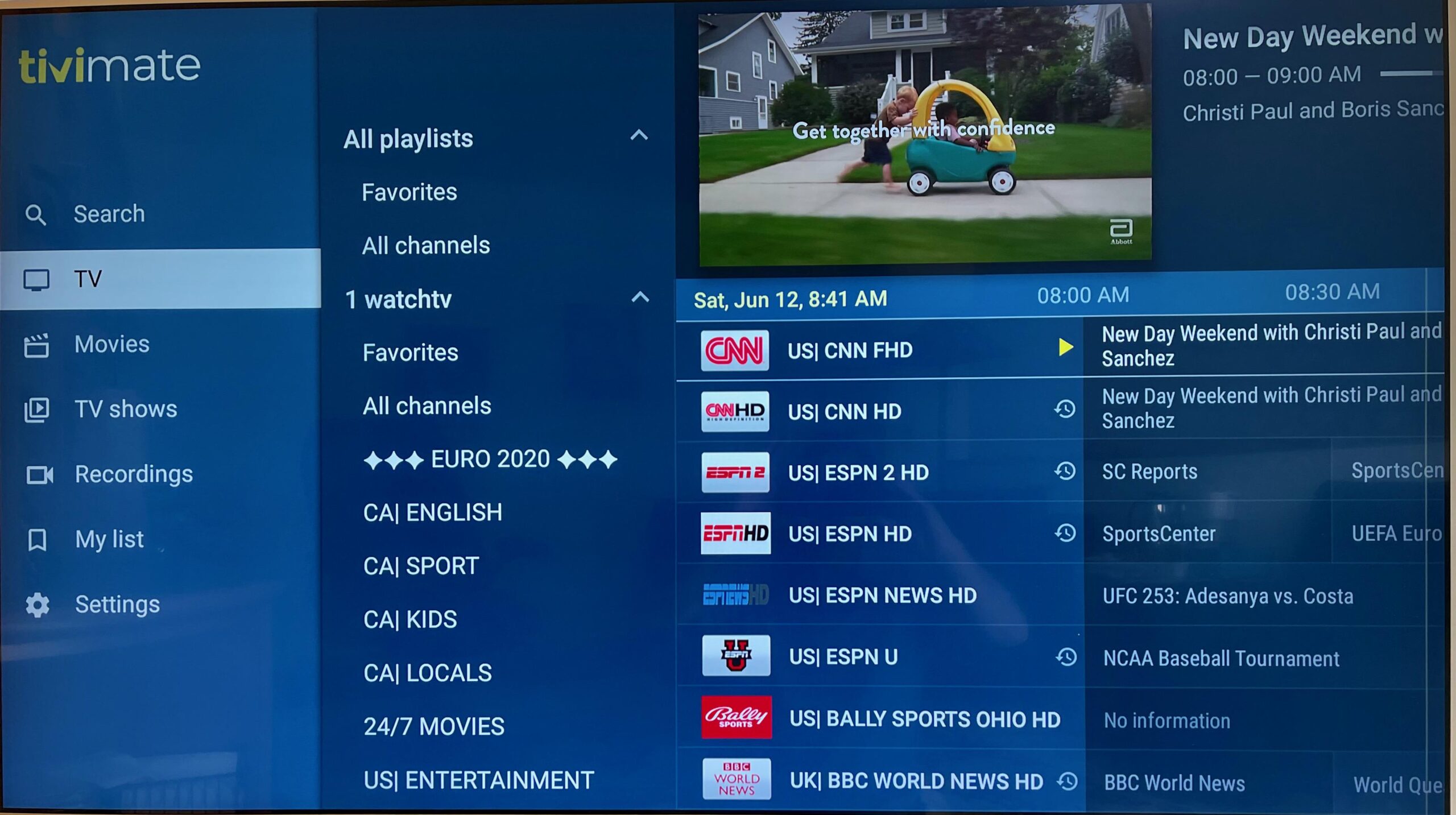
Visual Guide: What to Expect Inside TiviMate
A strong TiviMate setup should feel television-first very quickly. The guide should be readable, the groups should feel easy to switch, and the favorites should save time instead of adding clutter.
This is one reason the app is so often recommended for Android TV users who care about live-TV browsing quality.
TiviMate vs Other Popular IPTV Apps
The most common comparison is TiviMate vs IPTV Smarters Pro. In broad terms, this IPTV player is often preferred when users want a stronger TV-native layout, while Smarters Pro appeals to users who prefer a more familiar dashboard-style structure. Comparison guides also frequently list XCIPTV, Sparkle TV, and Televizo alongside TiviMate in the same decision set.
The best choice depends on your device and your habits. If you mainly watch on Android TV and care deeply about guide quality and TV-style browsing, TiviMate often becomes one of the strongest options. If you want a more general-purpose dashboard feel, another player may suit you better.
TiviMate vs IPTV Smarters Pro
Choose TiviMate when a stronger TV-native layout matters more. Choose Smarters Pro when a familiar dashboard feel matters more.
TiviMate vs Sparkle TV
This comparison usually comes down to how each viewer balances television-first design, guide comfort, and interface preference.
TiviMate vs XCIPTV
When users want alternatives, XCIPTV is often part of the same comparison group as TiviMate, Sparkle TV, and Smarters Pro.
Mistakes to Avoid Before Installing TiviMate
Common mistakes include expecting the app to include channels by itself, ignoring the difference between the player and the companion app, and choosing TiviMate before confirming that a television-first layout is really what you want. Some users also skip basic organization after setup, even though favorites, groups, and guide cleanup are a big part of what makes the app satisfying long term.
You can avoid most of these problems by checking the device first, confirming your login method, starting from the official source, and being clear about why you are choosing TiviMate over another player.
Confusing the Player and the Companion App
The Companion app helps with Premium activation on some devices. It is not the actual player.
Expecting Built-In Channels
TiviMate is usually the interface layer. It still needs your own playlist or provider login details.
Skipping Group and Favorites Setup
Part of the value of TiviMate comes after setup, when you organize the experience for daily use.
When TiviMate Is the Right Choice
TiviMate is often the right choice when live-TV viewing is the main goal and the user cares deeply about a television-native experience. The more time someone spends inside the guide, switching groups, and using favorites, the more TiviMate’s strengths tend to matter.
It is especially attractive for Android TV and Google TV users who want a player that feels designed for the screen in front of them rather than adapted from a more general-purpose app style.
At the same time, TiviMate is not the only answer for every user. If you want a more familiar dashboard that feels less TV-specific, IPTV Smarters Pro may still be a better match. The point is not that one app wins for everyone, but that TiviMate becomes especially strong when your main priority is a serious large-screen TV experience.
Frequently Asked Questions About TiviMate
These are the questions users most often ask before installing TiviMate or choosing it as their main IPTV player.
What is TiviMate used for?
TiviMate is used as an IPTV player that lets you load your own playlist or provider details into a television-first viewing interface.
Does TiviMate provide channels by itself?
Usually no. Like other IPTV players, it normally needs your own playlist, login details, or provider connection.
Is TiviMate only for Android TV?
The official site says the app is intended for Android TV devices and is not optimized for phones and tablets.
What is TiviMate Companion?
TiviMate Companion is used to unlock Premium functionality on devices without Google Play and to manage activated devices. It is not the player app itself.
Is TiviMate better than IPTV Smarters Pro?
That depends on the experience you want. TiviMate often wins for a TV-native layout, while Smarters Pro often appeals to users who prefer a familiar dashboard.
Where should I download TiviMate?
The official TiviMate website is the best first checkpoint, and the Companion app listing is useful when Premium functionality is relevant on certain devices.
Ready to Try TiviMate?
If TiviMate still feels like the right fit, the next step is to use the correct installation path for your device, prepare your login details, and continue with the Android TV or Firestick guide that matches your main screen. If you are still comparing apps, open the broader IPTV Apps page or compare it directly with IPTV Smarters Pro.