IPTV APPS GUIDE
IPTV apps are the software layer that turns your device into a practical TV interface for live channels, sports, movies, series, catch-up content, and playlist-based streaming. Choosing the right IPTV app matters because the app controls how you log in, how channels are organized, how the EPG looks, how favorites work, and how easy the experience feels every day.
Most visitors do not need a flashy page here. They need clear guidance. They want to know which IPTV app is best for Android TV, which app works well on Firestick, which players are easiest for Smart TV users, what formats are supported, where to download the official app safely, and how to decide between options like TiviMate, Smarters Pro, Sparkle TV, Televizo, XCIPTV, IBO Player, and others.
This guide is built to answer those questions directly. It explains what IPTV apps actually do, how to choose one based on your device and viewing style, where to download the major apps, what each app is best at, and which next page to open if you want a full dedicated guide for one specific player.
How to Choose the Best IPTV Apps for Your Setup
The best IPTV app is not always the app with the longest feature list. In real use, the right choice depends on your device, the way you sign in, how much customization you want, and whether you care more about fast setup or advanced control.
Some people want a TV-like interface with strong category management, favorites, and guide navigation. Others want a simple app that accepts their playlist and starts working quickly. Others want more flexibility across Android TV, Google TV, Firestick, and mobile devices. This is why one good IPTV Apps page should compare multiple paths instead of pretending that one player fits everyone equally.
Jump to the Right App Section
Use these quick links to move directly to app downloads, formats, device matching, and frequently asked questions.
What IPTV Apps Actually Do
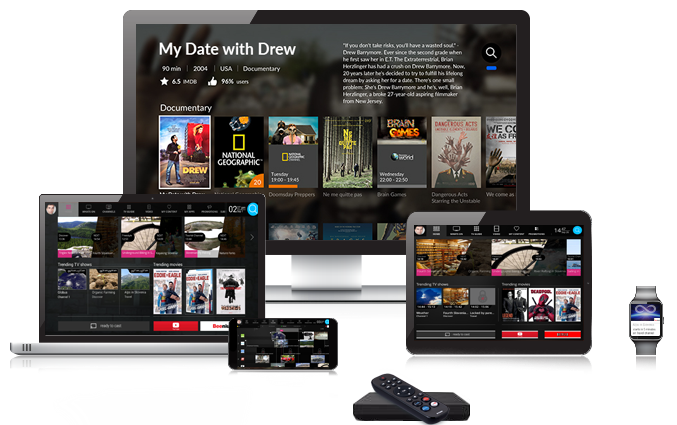
An IPTV apps is a media player interface. It does not automatically mean the app provides channels or content. In many cases, the player simply gives you a way to enter your own playlist, account login, or remote media source and then watch that content in a more organized TV-style interface.
That distinction matters because users often confuse the player app with the content itself. The app manages categories, guide data, favorites, playback, search, and layout. Your own service details or playlist determine what appears inside it.
This page is most useful when you think of it as a player guide, not as a content source list.
Login and Playback
IPTV apps help you enter your login details or playlists and then play live channels, VOD, and series in a cleaner interface.
Guide, Favorites, and Categories
A strong player helps you browse channels, organize categories, mark favorites, and use guide data more efficiently.
The Best App Depends on the Device
Some players feel best on Android TV, some are more flexible across devices, and some are easier when you want a fast first setup.
Common IPTV App Formats and Login Types
Most IPTV apps support one or more common login formats. The most widely discussed are M3U playlists, Xtream Codes style login, XMLTV guide support, JSON playlists on some apps, and local or remote playlist loading depending on the player. Understanding this makes the app decision much easier because some visitors choose the wrong player simply because they do not know what login format they have.
Before downloading anything, it helps to confirm whether your service uses playlist URLs, Xtream-based details, portal-style login, or another method. Once you know that, you can compare apps with much more confidence.
M3U Playlists
Many IPTV apps accept M3U playlist URLs or local M3U files. If your service gives you a playlist link, this is often the easiest format to match with the right app.
Xtream Login
A large number of users work with Xtream-style login details because the setup can feel more structured than managing a long playlist URL.
Guide Data and TV-First Features
Some apps stand out because of how they handle XMLTV guide data, channel logos, favorites, program guide layout, recording, or multi-screen behavior.
Official IPTV App Download Links
A trustworthy IPTV Apps page should send visitors to the cleanest available download path rather than leaving them to search random stores or unofficial pages. For that reason, the app cards below focus on the most useful download destinations that can be verified more clearly: official sites or official store listings where available.
Even when the app is easy to install, it still helps to compare it before downloading. Some apps are built mainly for Android TV and Google TV, while others are more flexible across several platforms. Some are stronger for advanced channel organization, while others are better when you want fast setup and a familiar interface.
TiviMate
Best for many Android TV and Google TV users who want a TV-first interface, strong channel organization, and a layout built around large-screen navigation.
Use the official TiviMate site if you want the cleanest starting point for the app.
Smarters Pro
Best for users who want a more familiar cross-platform media-player style experience and support for common playlist formats.
The Google Play listing is the simplest official download path for many Android users.
Sparkle TV
Best for users who want an Android TV, Google TV, or Fire TV oriented app with strong support for common provider formats and TV-style navigation.
The Google Play listing is the clearest download path here.
Televizo
Best for users who want a feature-packed Android IPTV app that stays focused on player functionality.
The official Televizo site provides a direct APK file and explains that the app is a video player only.
More Apps to Compare
You may also want to compare XCIPTV, IBO Player, IBO Pro Player, and SmartOne IPTV depending on your device and preferred interface.
Use the app guide buttons below as your next step if you want dedicated pages for those players.
Best IPTV Apps by Device and Use Case
Device choice and app choice are connected. A player that feels excellent on Android TV may not be the most practical option for a Smart TV user who wants direct store installation. Likewise, an app that feels simple on mobile may not feel as good on a remote-controlled living-room screen.
That is why the easiest way to choose is to start from the device in your home. If you are mainly watching on Android TV or Google TV, TV-first apps usually make more sense. If you are on Firestick, you may still want a TV-first player but with a simpler install path. If you are using Smart TV, store availability becomes a bigger part of the decision.
Best IPTV Apps for Android TV / Google TV
TiviMate, Sparkle TV, Smarters Pro, and Televizo are some of the most common comparisons for Android TV users.
If you mainly watch on a large screen and want a TV-style interface, start here.
Best IPTV Apps for Firestick
On Firestick, users often compare Smarters Pro, Sparkle TV, XCIPTV, and other remote-friendly players depending on the install path and interface style they prefer.
Best IPTV Apps for Smart TV
For Smart TV, the choice depends heavily on store availability and the exact TV platform, which is why app comparison matters even more before installation.
Best App for Easy Setup
Smarters Pro and some simpler player apps are often the easiest first step for visitors who want a familiar interface and minimal confusion.
Best App for Advanced TV Layout
TiviMate is often the first comparison for users who want a stronger TV-like interface and more control over channel organization.
Best App When You Want Alternatives
Sparkle TV, Televizo, XCIPTV, and other players matter because many users want alternatives instead of relying on one default recommendation.
How IPTV Apps Installation Usually Works
For most users, IPTV apps installation starts from the official store on the device when the app is available there. On Android TV and Google TV, that usually means Google Play. On Firestick, it often means the Amazon Appstore when the app is listed there. On some apps, the official website also provides a clean download path or companion instructions for TV devices.
After installation, the normal next step is entering the login details or playlist format supported by the player. That is where usability differences start to matter. Some apps feel cleaner during setup, some feel stronger after setup, and some are better for users who want to customize the interface deeply.
Android TV / Google TV
Open Google Play, search for the player app, install it, open the app, and continue with your playlist or account details.
Firestick / Fire TV
Search from the Fire TV interface when the app is listed in the store, install it, then continue with your login details inside the player.
Smart TV
Installation depends more heavily on the TV platform and store support, which is why Smart TV users often need to compare app availability before they choose a player.
Dedicated IPTV App Guides
Once you understand the main player differences, the next step is usually a dedicated app guide. That is where visitors want platform-specific instructions, screenshots, and deeper setup detail for one specific app rather than a broad comparison page.
Use these buttons to connect this IPTV Apps page to the deeper player pages in your site structure.
IPTV Smarters Pro
A strong guide target for visitors who want a familiar media-player style experience.
TiviMate
A strong guide target for Android TV and Google TV users who want advanced TV-style organization.
Sparkle TV
Useful for TV-first users who want another serious alternative in the Android TV and Fire TV space.
IBO Player / IBO Pro Player
Useful supporting guides for users who want more player comparisons before settling on one app.
How to Get the Best Experience From IPTV Apps
The best IPTV app experience usually comes from matching the player to the device and the device to the way you watch. If you mainly watch live sports on a television, you may care more about guide layout, category switching, favorites, and easy remote navigation. If you watch a lot of movies and series, you may care more about VOD browsing, poster layout, and search speed. If multiple people use the same device, then simplicity may matter more than advanced customization.
This is why app choice should not be random. A visitor should understand what kind of player they want before they download it. Some apps are better for users who want a powerful TV interface. Some are better for fast first-time setup. Some are better when cross-device familiarity matters more than deep television customization.
If you want a neutral explanation of IPTV technology itself before continuing with the app comparison process, you can read Britannica’s overview of IPTV. After that, the best next step is usually to compare your device path or open the specific app guide that matches the player you want.
Frequently Asked Questions About IPTV Apps
These are the questions most visitors ask before choosing an IPTV app. Answering them directly helps users avoid random downloads and choose the right player for their device and viewing style.
What is the best IPTV app?
The best IPTV app depends on your device and your viewing style. Many users compare TiviMate, Smarters Pro, Sparkle TV, Televizo, and XCIPTV because each one feels different in setup, layout, and day-to-day use.
Do IPTV apps provide channels or content?
In many cases, no. The app is a player interface. You usually need to add your own playlist, account details, or legally acquired media source.
Which IPTV apps are best for Android TV?
Android TV users often compare TiviMate, Sparkle TV, Smarters Pro, Televizo, and XCIPTV because Android TV supports several TV-friendly player apps through Google Play or official distribution paths.
Which IPTV apps are easiest for beginners?
Many beginners prefer apps with a simpler layout and straightforward login flow. Smarters Pro is often one of the first comparisons for users who want a familiar interface and fast setup.
Where should I download IPTV apps from?
The safest path is usually the official store for your device or the official website when the app developer clearly provides a download path there.
Ready to Choose the Right IPTV App?
If you already know which device you will use, continue to the matching device page. If you are ready to compare packages, move to pricing or the shop page. If you already know the player you want, open the dedicated app guide when it is available.