
COMPLETE XCIPTV PLAYER GUIDE
XCIPTV Player is one of the most frequently compared IPTV apps for users who want a lightweight, modern-looking player that handles live TV, VOD, series, and catch-up in a clean interface. Many viewers discover XCIPTV while comparing IPTV Smarters Pro, TiviMate, Sparkle TV, and other players for Android TV and Firestick setups.
This page is written for visitors who want a practical guide before installing anything. It explains what XCIPTV Player does, which devices it suits best, how setup usually works, what users like about it, where to start the download process, and when it makes sense to choose XCIPTV Player over another IPTV app.
If you want a player that feels organized without becoming too complicated, XCIPTV Player is often one of the apps worth comparing carefully.
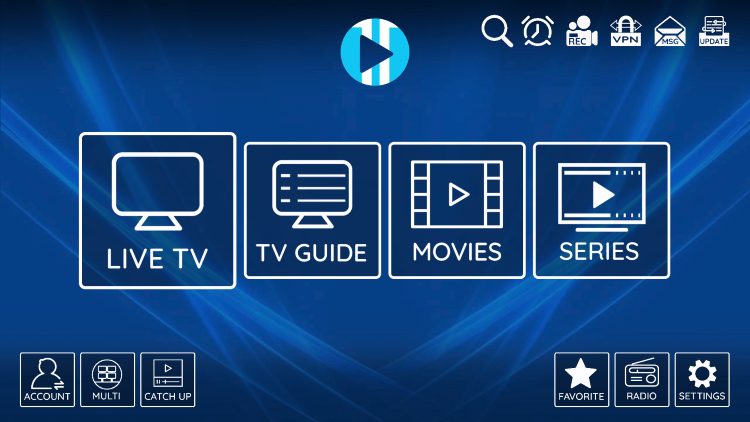
What XCIPTV Player Does
XCIPTV Player is an IPTV media player, not a content provider. In practical use, that means the app gives you the interface for loading and organizing your live channels, VOD, series, and account-based media sources. The app itself does not usually provide the content. Your own playlist, login details, or provider connection determine what appears inside it.
This is one of the most important things to understand before setup. When people compare XCIPTV Player, they are really comparing the experience of the app: how it looks, how easy it feels, how it handles playlists or account details, and whether the interface suits their screen.
Quick Navigation
Use these sections to understand the app, review supported devices, see how setup works, and compare XCIPTV Player with other popular IPTV apps.
Why XCIPTV Player Is So Often Compared
XCIPTV keeps showing up in app comparisons because it is often described as lightweight, practical, and easy to navigate. Recent install guides describe it as a compact application for live streaming, and current app listings describe a user-friendly IPTV media player that supports live TV, VOD, series, and catch-up with an interface optimized for TVs and mobile devices.
For many users, that makes XCIPTV attractive when they want a player that feels more modern than some older options but less overwhelming than an interface built around heavy customization.
Modern and Lightweight Feel
XCIPTV is often compared because users want a player that feels clean, practical, and lighter than some bulkier alternatives.
Live TV, VOD, and Catch-Up
Support for live TV, VOD, series, and catch-up is one of the reasons the app keeps appearing in modern player comparisons.
Useful Middle-Ground Choice
For many people, XCIPTV lands between a simple beginner-friendly dashboard and a more TV-native interface-focused player.
Which Devices Suit XCIPTV Player Best
XCIPTV is commonly used on Android TV, Google TV, Firestick, Fire TV, and other Android-based streaming devices. Recent install guides regularly discuss installation on Firestick, Android TV, and similar setups.
If your main goal is a player that works across popular TV-based devices with a clean layout, XCIPTV is one of the names that belongs on your shortlist.
Android TV and Google TV
XCIPTV is frequently installed on Android TV style devices when users want a clean and simple player interface.
Firestick and Fire TV
Firestick users often compare XCIPTV with Smarters Pro and Sparkle TV as part of the same decision process.
Other Android-Based Devices
XCIPTV also belongs in the broader Android streaming device conversation, especially when users want a practical and modern-looking player.
How XCIPTV Player Setup Usually Works
The setup path is usually simple. Install the player on your device, open the app, choose the login method your provider supports, and then let the app load channels, categories, VOD, and guide data. After that, the real improvement comes from organizing favorites, checking group order, and deciding whether the interface feels right for daily use.
Many users like XCIPTV because it often feels easier to understand quickly than players with heavier configuration. That can make it a good choice when you want a modern app without a difficult learning curve.
Step 1: Install the App
Use the cleanest available source for your device and make sure you are opening the correct app version.
Step 2: Add Your Login Details
Choose the login or playlist format that matches the details your provider gives you.
Step 3: Review Groups and Favorites
Once the content loads, organize the interface so it actually feels practical in daily use.
What People Usually Like About XCIPTV
Users usually care about a few practical things when they compare XCIPTV: how clean the interface looks, whether live TV and VOD feel easy to browse, whether catch-up and category movement feel smooth, and whether the app loads quickly enough for daily use.
Support for live TV, VOD, series, and catch-up is one of the reasons the app is often mentioned by users who want one player to cover several viewing needs in a single interface.
Clean Layout
A practical interface is one of the main reasons many users keep XCIPTV in their comparison list.
Useful All-in-One Feel
Support for live TV, VOD, series, and catch-up makes the player useful for people who want several content types in one place.
Good Everyday Simplicity
XCIPTV often appeals to users who want a player that feels modern without needing too much setup complexity.
Where to Start the XCIPTV Player Download Path
There is no single perfect download path for every device, so the safest approach is to start from the cleanest available source for the version you intend to use. For Android-based users, Google Play listings are one obvious checkpoint where available. Some installation tutorials also walk through Firestick and Android TV paths for XCIPTV.
If you are unsure which route fits your device best, use the device guides linked on this page before downloading anything.
Google Play Option
If the correct XCIPTV listing is available for your device path, store listings are a good checkpoint before setup.
Need a Device-Specific Install Path?
If you are using Firestick or Android TV, use the matching device guides before choosing the final installation route.
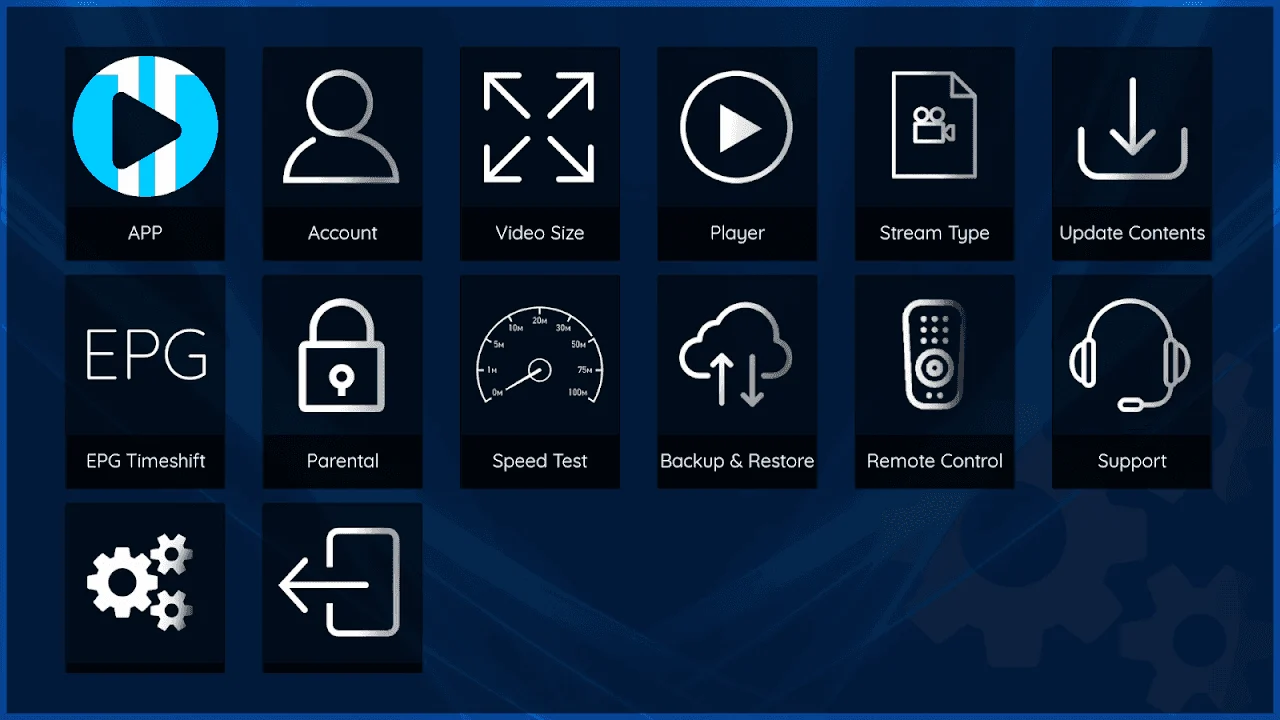
Visual Guide: What to Expect Inside XCIPTV Player
A strong XCIPTV setup should feel clear very early. Live TV and VOD should be easy to browse, categories should feel organized, and playback should not be buried behind too many unnecessary steps.
That balance is one reason the app is frequently recommended as a practical option for TV-based streaming devices.
XCIPTV Player vs Other Popular IPTV Apps
XCIPTV is commonly compared with IPTV Smarters Pro, TiviMate, Sparkle TV, and other IPTV players. Recent top-player roundups place XCIPTV in the same conversation as these apps, which shows how often users weigh it against the more familiar names before deciding.
In practice, XCIPTV often appeals to people who want a clean and modern interface without overcomplicating setup. TiviMate may still be the stronger choice for users who want a more TV-native guide-focused layout. IPTV Smarters Pro may be more attractive to users who prefer a dashboard-style feel. XCIPTV sits comfortably in the middle for many people.
XCIPTV vs IPTV Smarters Pro
Choose XCIPTV when you want a clean, modern-feeling player. Choose Smarters Pro when you prefer a familiar dashboard structure.
XCIPTV vs TiviMate
Choose TiviMate when a TV-native guide-focused layout matters most. Choose XCIPTV when you want a simpler middle-ground feel.
XCIPTV vs Sparkle TV
This comparison usually depends on whether you want a slightly more TV-first feel or a more broadly practical interface.
Mistakes to Avoid Before Installing XCIPTV Player
Common mistakes include assuming the player will provide channels on its own, choosing XCIPTV before checking whether your login method is supported, and comparing it only by screenshots without thinking about the way you actually browse content. Some users also install the app but never organize groups or favorites, even though that is one of the easiest ways to improve the day-to-day experience.
You can avoid most of these problems by starting with the correct device path, confirming your account format, and choosing the app because it matches your usage style rather than because it is merely popular.
Expecting Built-In Channels
XCIPTV is normally the player interface, not the content source itself.
Skipping Login Format Checks
Make sure the login path your provider gives you fits the way you plan to use the app.
Choosing by Looks Alone
A player should match your habits, not just your first impression of the screenshots.
When XCIPTV Player Is the Right Choice
XCIPTV is often the right choice when you want a player that feels clean, current, and straightforward without requiring the heaviest amount of setup or the most TV-native layout. It is especially attractive when you want live TV, VOD, and series support in one interface and you care about practical day-to-day navigation.
For viewers who do not want the most complex player but still want something modern and useful on Android TV or Firestick-style devices, XCIPTV can be a very sensible middle-ground option.
At the same time, the right app depends on your habits. If you want the strongest guide-first TV experience, TiviMate may still be more attractive. If you want a more dashboard-style feel, IPTV Smarters Pro may still fit better. XCIPTV becomes strongest when you want balance.
Frequently Asked Questions About XCIPTV Player
These are the questions users ask most often before installing XCIPTV Player or comparing it with other IPTV apps.
What is XCIPTV Player used for?
XCIPTV Player is used as an IPTV media player that organizes live TV, VOD, series, and other content sources you add yourself.
Does XCIPTV Player provide channels by itself?
Usually no. The app is generally the interface layer, while your own provider details or playlist determine the content.
Which devices work well with XCIPTV?
XCIPTV is commonly discussed for Android TV, Firestick, Fire TV, Google TV, and other Android-based streaming devices.
Is XCIPTV better than IPTV Smarters Pro?
That depends on your interface preference. XCIPTV often appeals to people who want a clean and modern middle-ground player, while Smarters Pro often appeals to people who like a familiar dashboard.
Is XCIPTV better than TiviMate?
That depends on whether you want a lighter modern player feel or a stronger television-native guide-first layout.
Where should I start the download process?
A clean store listing or a trusted device-specific install path is the best place to start, depending on the device you plan to use.
Ready to Try XCIPTV Player?
If XCIPTV Player still feels like the right fit, the next step is to follow the best device path for your screen, prepare your login details, and compare it directly with the other IPTV players you are still considering. If you are not fully decided yet, continue to the IPTV Apps page or the device guide that matches your setup.